Fix the subject before comparing
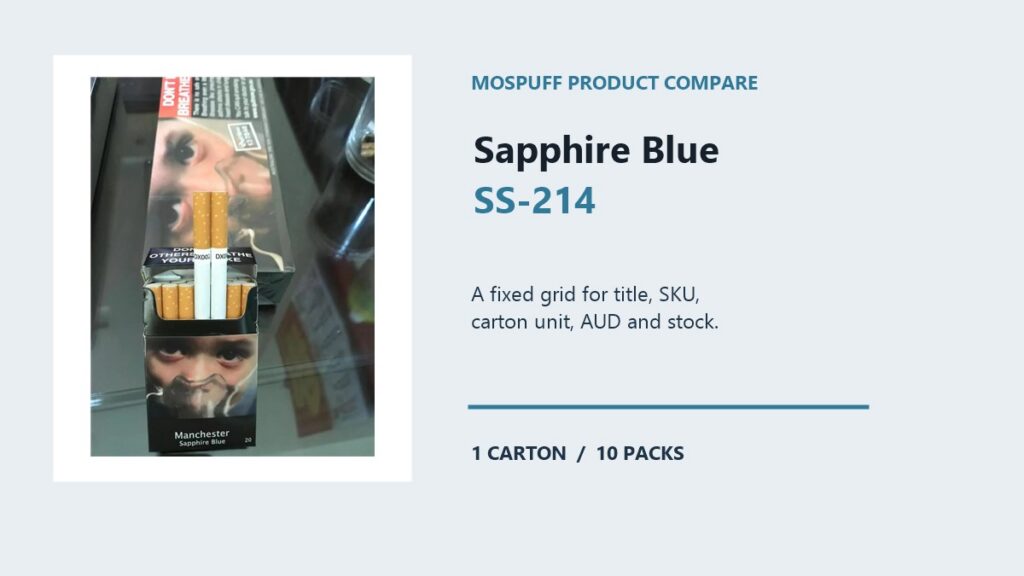
A useful product comparison begins by fixing the record on one side of the grid. On 4 August 2026, the live Sapphire Blue Cigarettes – 1 Carton (10 Packs) product record identified SKU SS-214 as Sapphire Blue Cigarettes – 1 Carton (10 Packs). The displayed amount was A$327.54 AUD and the page showed in stock. This is a catalogue comparison method, not a claim that a similar Manchester listing is interchangeable. The purpose is to make each field comparable without allowing a familiar word or package colour to decide the result.
Avoid changing the comparison unit
Comparison errors usually come from changing the unit of comparison halfway through. A reader may place a full title beside a shortened title, a carton price beside a pack assumption, or a current stock state beside an old note. The first control is to name the exact subject, preserve its SKU and state the date of every field that can change. Only then does a side-by-side table become useful.
Build the SS-214 grid
For SS-214, use a fixed comparison grid:
| Field | SS-214 record | How to read it |
|---|---|---|
| Complete name | Sapphire Blue Cigarettes – 1 Carton (10 Packs) | Identity wording from the live page |
| SKU | SS-214 | Exact catalogue key |
| Sale unit | 1 carton / 10 packs | Quantity hierarchy |
| Displayed price | A$327.54 | Dated AUD snapshot |
| Availability | in stock | Dated page state |
The grid prevents an attractive but unsupported specification from taking the place of a published field.
Begin at the broad Shop route
The MosPuff Shop is the starting column for the broad catalogue. Use it to locate the current card and to see whether the item remains in the store context. Do not copy a shortened card title into the final comparison before checking the destination page. The Shop answers where to browse; it does not settle every identity or quantity field.
Use category navigation carefully
Next, open the Manchester category to narrow the set of related records. Category membership can show which family the store uses for navigation, but it cannot prove that every similarly named entry has the same SKU, price or pack wording. For a clean comparison, write the category as a route and keep the exact product record as the evidence line.
Keep Sapphire Blue and SS-214 together
The comparison anchor for this article is the complete Sapphire Blue name plus SKU SS-214. If another result shares only Sapphire Blue, Manchester or a colour term, that shared text is a prompt to investigate rather than a conclusion. Record the second result separately if it is needed for a later review. Never merge its price, image or stock indicator into the SS-214 row.
Label changing commercial fields
Commercial fields need a timestamp. The displayed value of A$327.54 was observed on 4 August 2026 for the listed product unit. It should not be reframed as a one-pack price or treated as a permanent market value. The same rule applies to the in stock indicator. A future comparison can show a new snapshot beside the old one, making a change visible instead of making the historical note look wrong.
Normalize carton quantities
Quantity is the field that most often distorts a comparison. SS-214 is named as one carton containing 10 packs. Keep 1 attached to carton and 10 attached to packs. If a second record is compared later, read its own sale-unit wording instead of assuming that the same family uses the same quantity. A fair comparison uses like-for-like units and clearly labels anything that cannot be matched.
Treat the image as evidence
The live product image belongs in the evidence column, not in the identity column. It can help confirm that the downloaded media is connected to the page, but lighting, cropping and image updates can make two pictures look more or less alike. Written title, SKU and final URL should agree before an image is treated as supporting evidence.
Set a factual comparison boundary
A comparison also needs a boundary. This article does not infer taste, performance, composition, origin, authenticity or suitability from the words Sapphire Blue. It records the title exactly as published and keeps the review tied to the fields the store exposes. A missing field should stay missing; filling it with a generic description creates a new claim rather than a better comparison.
Keep delivery outside the grid
Shipping is outside the product comparison grid. Read the current Australia-only shipping policy for Australia-only delivery terms and destination conditions. A product being present in the Shop does not by itself answer a delivery question. Put any delivery result in a policy column with its own source rather than attaching it to the product name.
Keep returns outside the grid
Returns require the same separation. The returns and refunds policy is the current source for return and refund conditions. A comparison table can point to that policy, but it should not promise that a particular order will qualify. When a product mismatch and a return question occur together, record them as two separate issues with the SKU and date beside each one.
Send a reproducible support note
If a row still conflicts after the live page has been reopened, prepare a short evidence note for the contact page. Include the complete name, SS-214, the page URL, the review timestamp and the exact field that differed. That gives support a reproducible question and avoids resolving ambiguity by selecting the closest-looking package image.
Repeat the seven comparison moves
A repeatable comparison pass can be reduced to seven moves: define the exact record, capture the complete name, attach the SKU, normalize the sale unit, date the price and stock, read policies separately, and stop on a mismatch. The grid is complete only when every value answers what it measures. If a cell cannot be supported by the live page or a policy source, label it unconfirmed rather than filling it from memory.
Related MosPuff reading
Existing MosPuff Product Compare Lab entries cover the basic, workflow and audit concepts. This SS-214 note adds a concrete field grid for Sapphire Blue and shows how to keep a single catalogue record stable while a future comparison introduces another record. Related reading should support navigation, not create a second set of unsupported product facts.
Adult catalogue notice
This MosPuff reference is for adults aged 18 and over in Australia. Nicotine is addictive, and smoking carries serious health risks. MosPuff provides catalogue information only; this article is not medical advice, a health claim, a recommendation, an authenticity guarantee or a promise about price, stock, returns or delivery.
Common questions
Which record is the subject of this comparison?
The subject is Sapphire Blue Cigarettes - 1 Carton (10 Packs), identified on MosPuff by SKU SS-214.
Can two similar names be treated as the same product?
No. A comparison must preserve each complete title, SKU and final product URL; shared Manchester wording is not enough.
How should A$327.54 be used in the comparison?
It was the AUD amount displayed for the listed product unit on the review date and should be labelled as a dated snapshot, not a permanent value.
What is the role of the product image?
The image can support a text match after the name and SKU agree, but it cannot establish quantity, stock or any unlisted specification by itself.